Nexus Connect
One cloud for everything on site.
Sites, schedules, alarms, live view, health, people and roles, in one browser dashboard that runs the same for one site or a thousand.
From event to operator
What happens when a camera sees something.
- 01
The event arrives
From the camera vendor’s service, a Nexus NVR on site, or a Nexus Roam in the field. All of them land in the same place.
- 02
The schedule decides
Inside the site’s armed window it is an alarm; outside it is recorded and kept.
- 03
The clip is attached
The alarm carries its clip and a snapshot, and is delivered to the monitoring platform in the format it decodes natively, SureView Immix today.
- 04
The operator acts
Claim, open live video from the same screen, resolve or escalate. Every step is written to the audit trail.
The dashboard
Everything an operator or an owner needs.
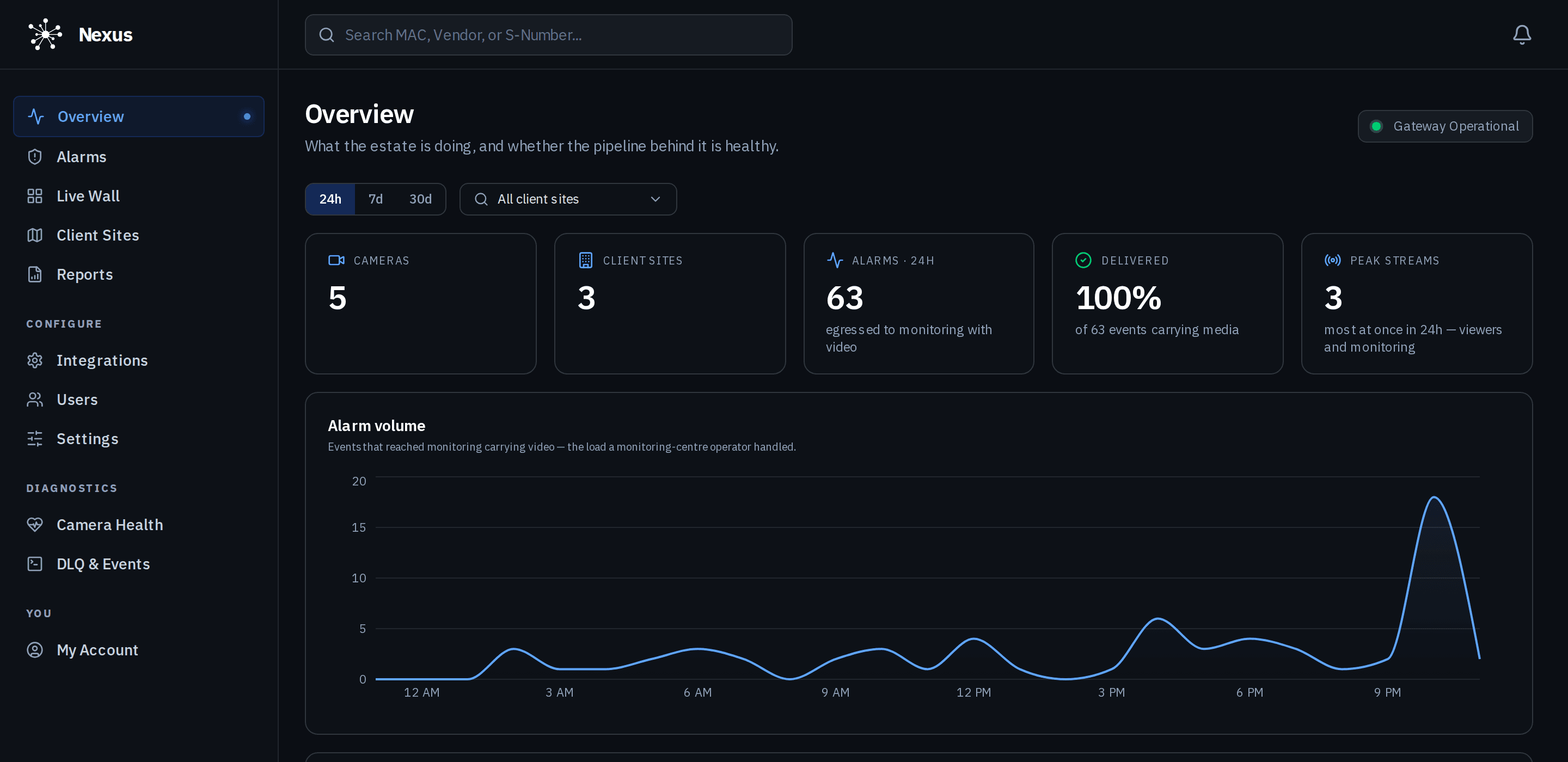
Overview
The whole estate on one screen.
Alarm volume, device health and activity across the organisation, over the last hour to the last month. The first thing a shift sees.
- Alarms, sites and devices at a glance
- Activity over time, per organisation
- Recent events with their snapshots
Client sites
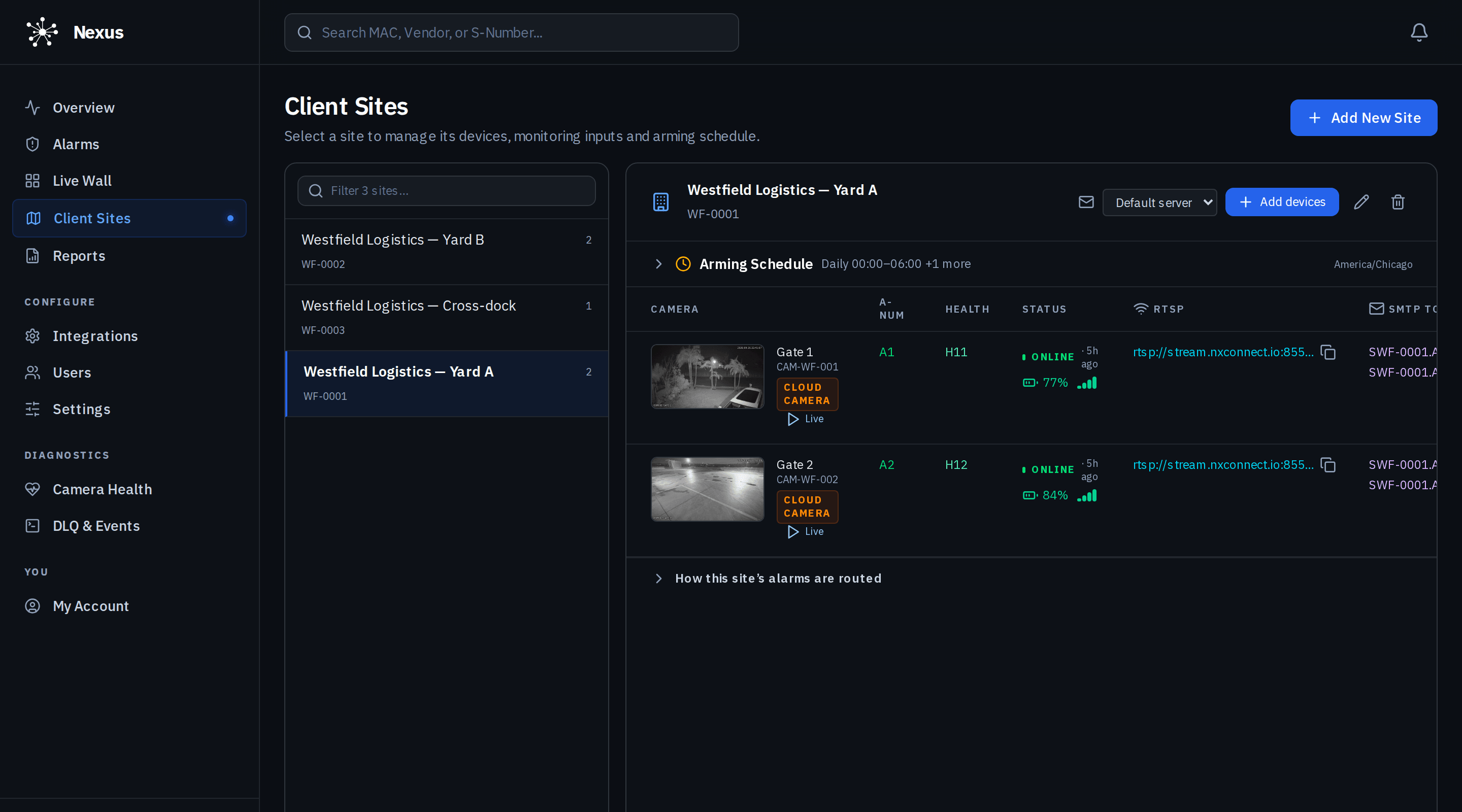
Every site, its devices and its schedule.
A site groups cameras, appliances, contacts and an arming schedule. Each camera shows its status, battery and stream, and how the site’s alarms are routed.
- Arming schedule per site, in the site’s time zone
- Device status, battery and signal
- Alarm routing shown on the site itself
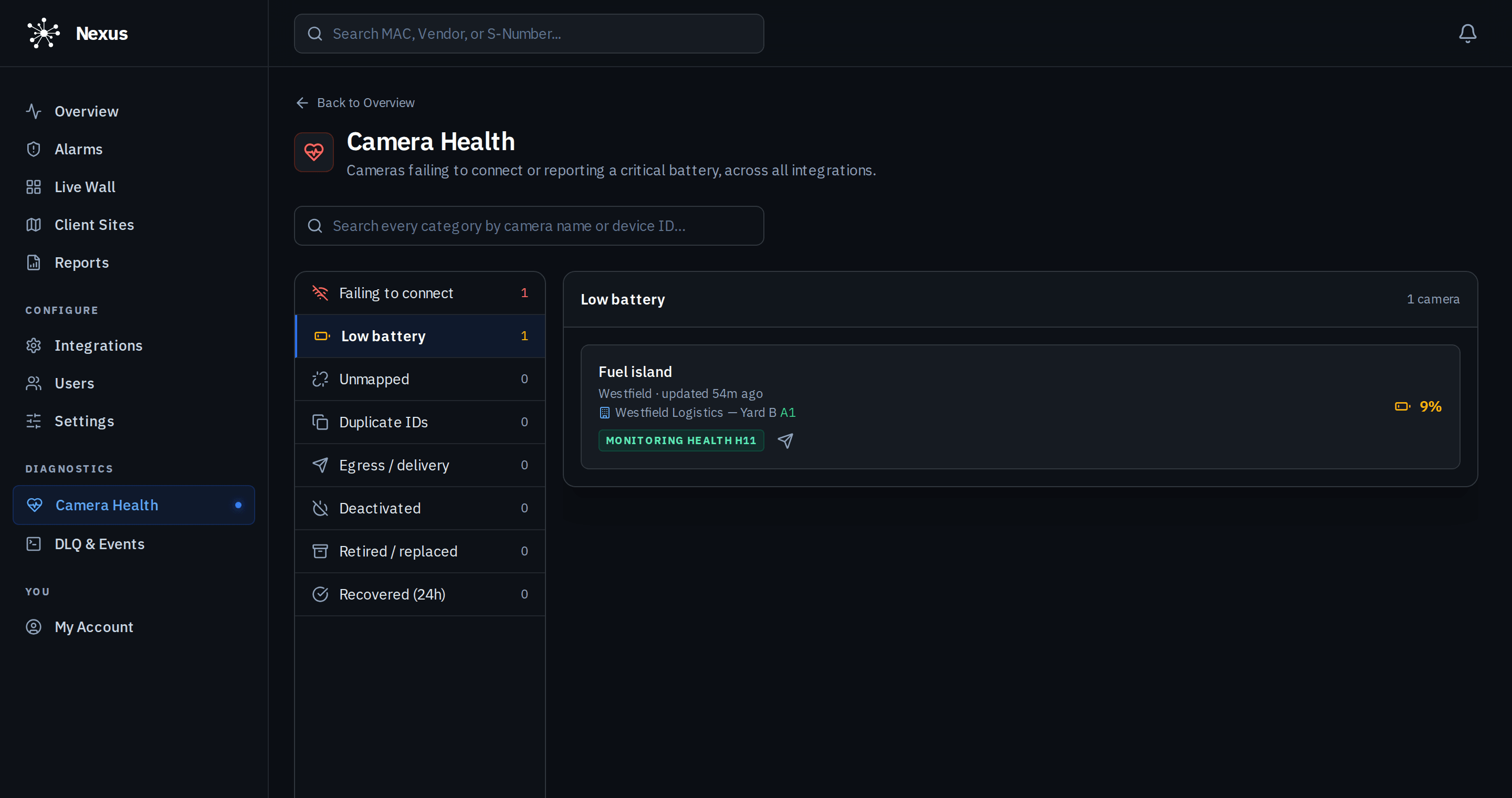
Camera health
Know a camera is failing before the customer does.
Battery, connectivity and last-seen state per device, with low-battery and offline conditions raised as alarms of their own.
- Low battery and offline as alarms
- Last seen and signal per camera
- Filter by condition across every site
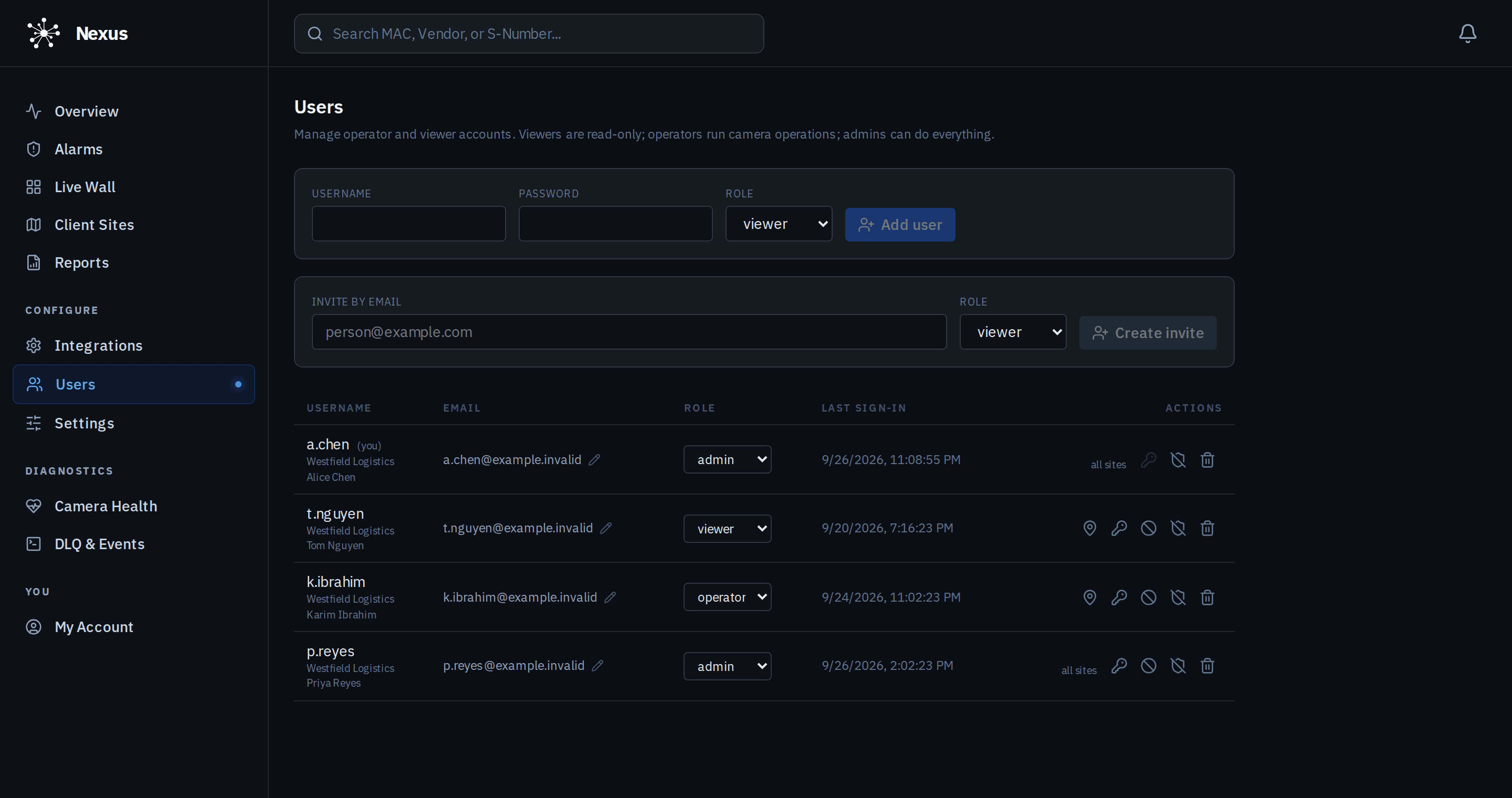
Users and roles
The right people, with the right reach.
Viewer, operator, admin and owner. Viewers and operators can be limited to named sites. Invitations go by email with the role and grants already set, and two-factor is enforced for anyone who can change things.
- Four roles, site-scoped grants
- Email invitations that expire
- Two-factor mandatory for admin and owner
Organisations
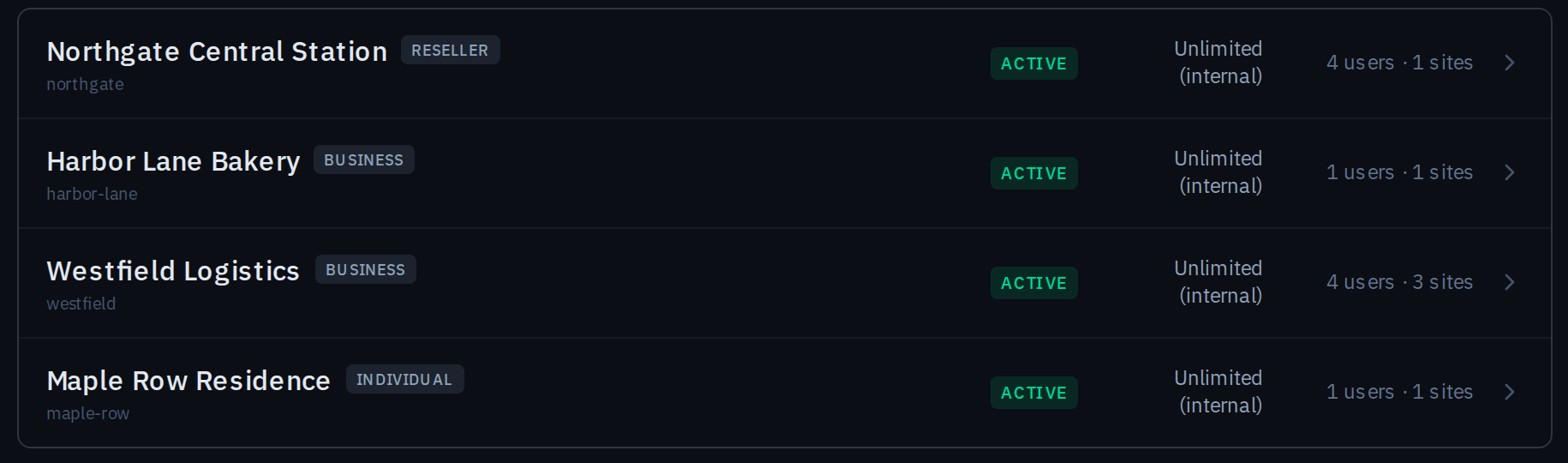
Built for monitoring centres.
A partner organisation holds its client organisations beneath it, each with its own people, sites and settings. Partner admins reach only what the client has allowed.
- Client organisations under a partner
- Per-client people, sites and settings
- Consent-gated support access, audited
Settings
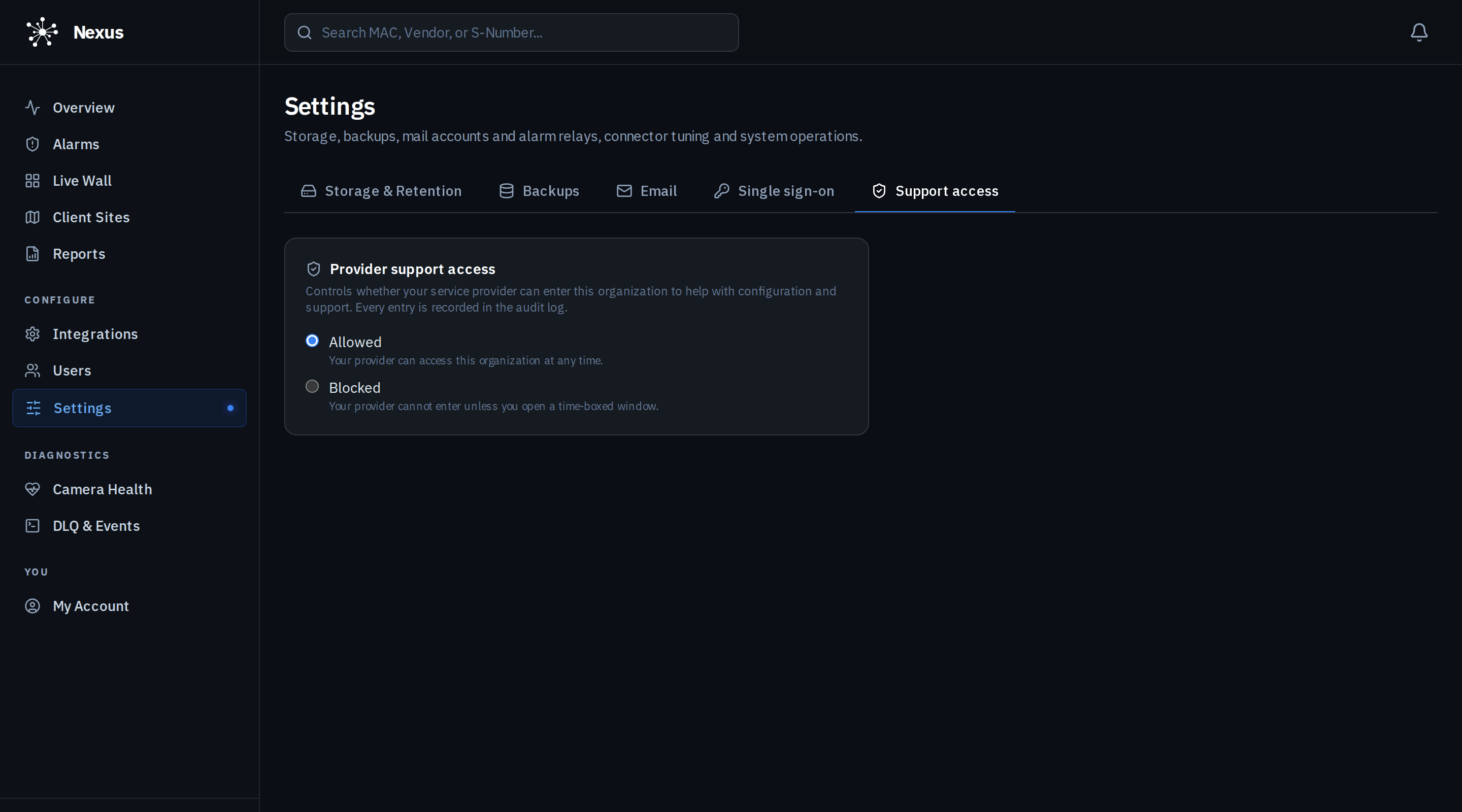
Each organisation decides its own policy.
Storage retention, backups, email delivery, connectors, single sign-on and support access are set per organisation. Support access is the customer’s decision: always, never, or a time-boxed window, and every entry is written to the audit trail.
- Retention, backups and email per organisation
- Single sign-on with group-to-role mapping
- Support access controlled by the customer
Also in the dashboard
Integrations and reports.
Integrations
Connect camera accounts and appliances, watch connector health, and manage credentials that are encrypted at rest.
Reports
Per-site and per-organisation summaries over 1 hour, 24 hours, 7 days or 30 days.
Now in early access.
We are onboarding a limited number of monitoring providers, integrators and multi-site operators ahead of general release. Join the waitlist, or sign in if you are already enrolled.