
Camera health
Know a camera is failing before the customer does.
A camera that is offline, flat, or quietly not delivering is a site that is not being watched. Nexus Connect keeps one health picture across every site and every source, and raises the conditions that matter as alarms.
One page
Every camera, sorted by what is wrong.
The camera-health page groups cameras by condition across the whole estate, with a search over every category by camera name or device ID.
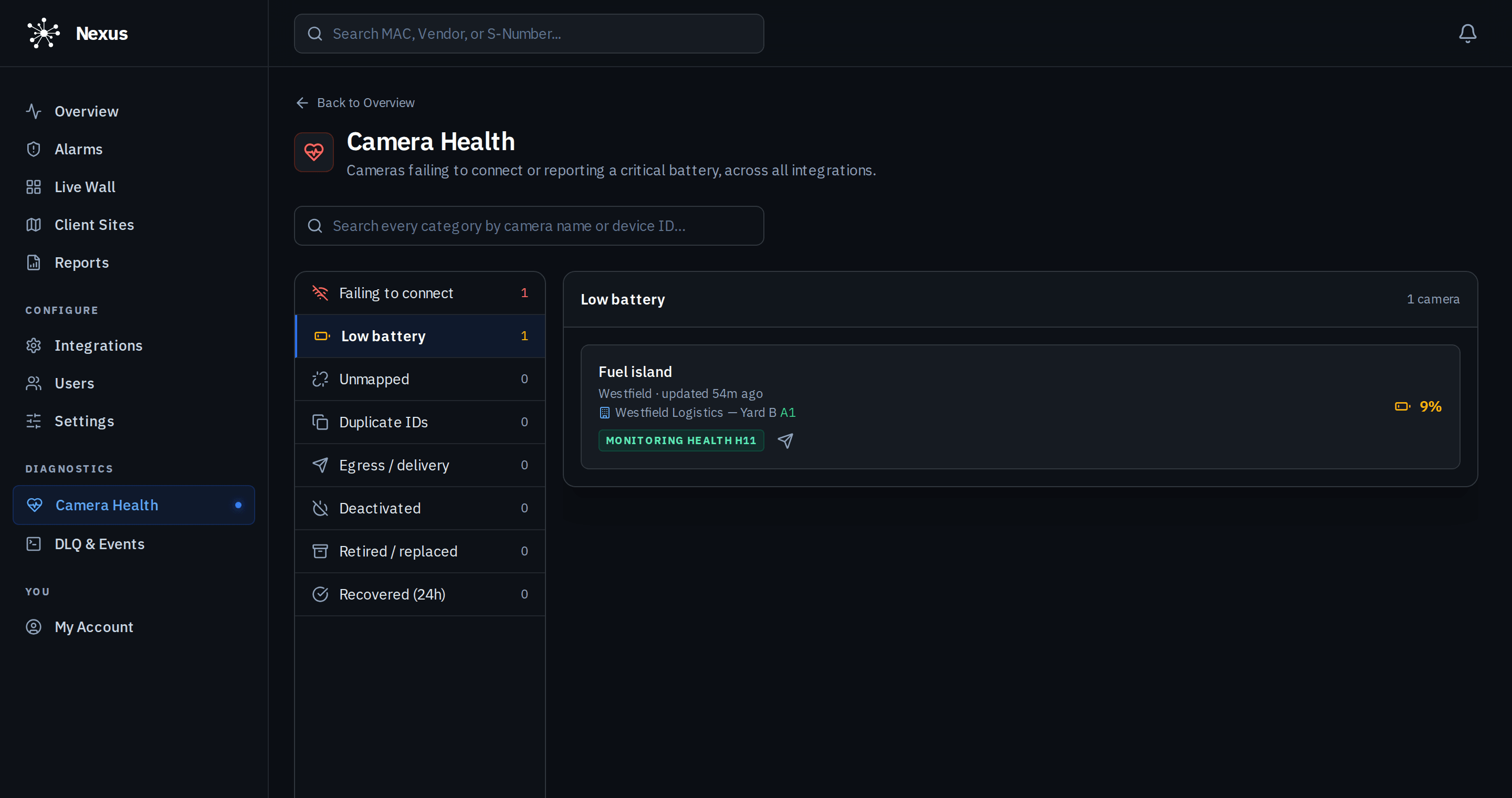
- Failing to connectPlatform
- Cameras the platform cannot reach, with the last time they were seen.
- Low batteryPlatform
- Cameras reporting a critical battery, with the live percentage. A reading counts only while the camera is reachable; an offline camera’s last-known battery is not mistaken for a live one.
- UnmappedPlatform
- Cameras the source knows about that no site input has been assigned to, so their events would go nowhere.
- Duplicate IDsPlatform
- The same camera mapped more than once, with the canonical copy identified and the extras listed for action.
- DeliveryPlatform
- Cameras whose alarms are failing to reach the monitoring platform, per camera, so a silent camera is a visible problem.
- Deactivated, retired, recoveredPlatform
- Cameras switched off on purpose, replaced, or back within the last 24 hours, so the operator knows which silences are expected.
As alarms
Offline and battery reach the operator.
- Camera offlinePlatform
- Raised once per outage, not once per failed poll, and cleared with a back-online event when the camera returns.
- Low batteryPlatform
- Raised when a camera reports a critical battery, with the charge in the alarm text.
- A separate inputPlatform
- Health events can be routed to their own input at the monitoring platform, with one alarm type of your choosing, so they are filed apart from intrusion alarms and handled on their own procedure.
- TestablePlatform
- A test health alarm can be sent per camera, labelled as a test, so the routing is proven before a real battery goes flat.
How health events are typed for the monitoring platform is on the how it connects page.
Questions
About camera health.
How do I know when a camera goes offline?
It appears under “Failing to connect” on the camera-health page with its last-seen time, and an offline alarm is raised once for the outage. When it returns it moves to “Recovered” for 24 hours and a back-online event is sent.
Does a low-battery alert go to the monitoring centre?
If the site has a health input configured, yes, as a low-battery alarm with the charge in the text. Otherwise it stays on the camera-health page and in the dashboard.
What does “unmapped” mean?
The source reports a camera that has not been given an input at any site. Its events cannot be delivered until it is mapped, so it is listed as a problem rather than ignored.
Which cameras report battery and signal?
Battery-powered cloud cameras and the Nexus Roam report battery and signal. Wired cameras and cameras behind a Nexus NVR report connectivity.
Now in early access.
We are onboarding a limited number of monitoring providers, integrators and multi-site operators ahead of general release. Join the waitlist, or sign in if you are already enrolled.